
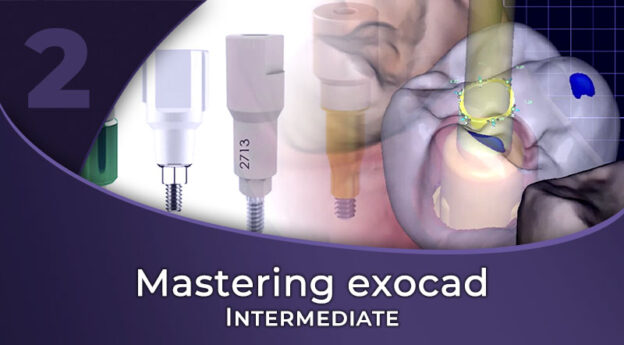
Mastering exocad Intermediate
You design crowns in exocad, and now the cases are night guards, implants and smile makeovers. Marjorie Andrade, dental technician and CAD designer, designs bite splints on the virtual articulator, custom trays and eggshell provisionals, custom abutments and screw-retained crowns, a wax-up from photos and the veneers that follow it, and the printable models. Nine chapters, 31 lessons, 185 minutes, 4 CPD/CE hours.

Crowns in exocad are familiar ground. Then a client sends a night guard, a smile makeover with photos, an implant case with a scanbody you have never seen, or a bite that arrives closed when it should be open, and the crown workflow no longer answers the question.
By the end of this module you should be able to design a functional bite splint on the virtual articulator, open a bite the accurate way, and make custom trays and eggshell provisionals. You should also be able to set up an implant case from its scanbody and library, design custom abutments and screw-retained crowns, plan a digital wax-up and follow it with veneers, and generate printable models.
Marjorie Andrade is a dental technician and CAD designer from Brazil, who started with 3D technology in college in 2014 and became lead CAD designer in a fully digital lab. When she recorded this course in 2023 she ran her own freelance CAD design company with clients worldwide, producing more than 600 units a month. She later worked as a technician at the iDD Lab in New Zealand, and now designs freelance again.
Marjorie recorded the core of this module in 2023 on exocad 3.0 Galway, then added an extra tip in 2024 and the 3.2 Elefsina lessons in late 2024. All the information and processes are still clinically relevant; just the exocad versions and their menus are from then.
Nine chapters, 31 lessons and 185 minutes. Bite splints and the virtual articulator, adjusting the bite, custom trays and eggshell provisionals fill chapters 01 to 04, and chapter 05 is the implant workflow.
A wax-up is planned in chapter 06 and followed by veneers in chapter 07. Chapter 08 turns designs into printable models, and chapter 09 collects four short tips.
Five ten-question quizzes sit after chapters 02, 04, 05, 06 and 09. The last one tests chapters 07 to 09.
What you will learn
- Bite splints designed against the jaw movements of a virtual articulator
- Opening the bite on the incisal pin and saving it as a new bite scan, because opening it on the articulator alone brings problems in the dynamic adaptation
- Custom trays with handles
- Eggshell crowns and bridges
- What a scanbody tells the software, and how to pick the right implant library
- Custom abutments and their emergence profiles
- Screw-retained crowns, with and without a scanbody
- Digital wax-ups from patient photos, with a gingivectomy simulation
- Veneers designed against an approved wax-up
- Printable models with implant analogs, attachments and text
- Four quick tips, from closing a screw channel to saving resin
This course is CPD/CE certified for 4 hours.
You get lifetime access to the course as recorded on exocad 3.0 to 3.2.
Written for dental technicians, dentists and CAD designers who already design crowns and bridges in exocad and are taking on splints, implants, wax-ups and veneers. It assumes the Fundamentals module or the same footing, because Marjorie points back to margin lines, free-forming and the crown workflow rather than repeating them. STL practice files for the design cases come with the course.
Mastering exocad Fundamentals teaches the restorative basics, and Mastering exocad Advanced covers full mouth rehabilitation, All-on-X and 3D face scans. exocad 3.3 Chemnitz is not covered by any lesson.
Sold on its own or with the other two modules as the full Mastering exocad course.
Course Content
About Instructor

Course Includes
- 9 Chapters
- 31 Lessons
- 5 Quizzes
- Course Certificate
Ratings and Reviews
 Richard
Majorie has done an excellent job with the way she delivered this course. It takes a lot of dedication and passion to be able to share knowledge the way Majorie did in this course. It took me a while to complete the course but it was very much worth it. All I can say is thank you, because I really enjoyed the course.


 Sameer
I really appreciate the sincerity and dedication of the creative team in making such a detailed course that provides not just the regular course content but also important assets like "tips" that help immensely in the real world. Thank You
Jovany
The instructor is very knowledgeable and has great examples. the course flows really well with all the information she is teaching and the example cases are very helpful. The course videos are long enough to give you all the information needed but not too long to lose interest. The example video are very well put together as well. Great class looking forward to the Advance class.
Very thorough but easy to understand.