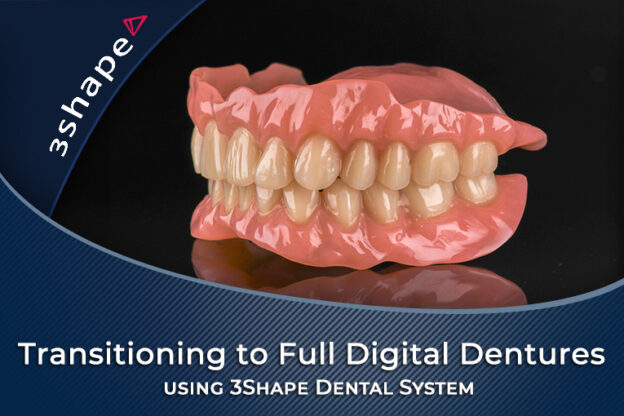
Transitioning to Full Digital Dentures using 3Shape Dental System
You know conventional dentures and you want them designed digitally without losing what already works. Akruti Tataria, Clinical Dental Technician, walks four complete designs in 3Shape Dental System with the STL files to follow along, then milling on the Ivotion system, 3D printing, five patient cases and troubleshooting. Ten chapters, 38 lessons, 409 minutes, 8 CPD/CE hours.

You make good conventional dentures. Digital ones, as far as you have seen online, seem to skip the thinking, the materials seem unproven, and the software looks like a month of your life to learn while the bench work waits. Every article says the opposite of the last one.
By the end of this course you should be able to take a case from scanned models or impressions to a finished denture design in 3Shape Dental System, for a full upper and lower, a single arch against natural teeth, and an immediate with the teeth taken out on screen. You should also be able to send that design to the right output, a milled bicolor denture on the Ivotion system or a printed one, and know when each is the honest choice for the patient.
Akruti Tataria recorded it for iDD. She is a Clinical Dental Technician in Wellington, New Zealand, at iDD Lab, president of the New Zealand Dental Technologists Association, and she went from packing dentures on the bench to a fully digital design workflow in one jump. Taught from the technical side, it covers the clinical steps briefly and the design steps in full.
She recorded this in 2024. All the information and processes are still clinically relevant; just the software versions, materials and prices are from 2024.
Ten chapters, 38 lessons and 409 minutes, with a ten-question quiz after chapters 02, 04, 05, 07 and 10. The first four chapters make the case for going digital and walk the 3Shape interface, the order form, desktop scanning, edentulous landmarks and the five design phases on screenshots. Four designs recorded live in the software follow in chapters 05 to 08, with the STL files you download and design alongside her. Five of her patients, aftercare, and troubleshooting the design and the mill close the course in chapters 09 and 10.
What you will learn
- Where a digital workflow saves the five hours a conventional denture costs
- Reading an ROI calculator
- The order form, and why almost every design problem starts there
- Edentulous landmarks, and the lines the software draws from them
- A full upper and lower designed start to finish for the Ivotion bicolor disc, including the shell geometry that decides whether tooth color shows through the base, because that is the compromise every Ivotion case turns on
- Immediates, with the teeth extracted on screen
- What changes for a printer
- The single arch case, where the antagonist makes the decisions
- Nesting in a puck on the PrograMill 7 and reading the simulation before you press start
- When a 3D-printed denture is the honest answer
- What to check first when the software or the mill refuses
8 CPD/CE hours, assessed by five ten-question quizzes with an 80 percent pass mark and unlimited attempts.
Lifetime access to the course as recorded is included.
Written for dental technicians with a conventional denture workflow who want to design digitally, dentists who want control over their denture design or an in-house lab, and dental assistants a practice is upskilling. It assumes you know the conventional clinical and technical denture workflow and edentulous anatomy; the course refreshes them briefly and points you to the textbooks for the rest. STL files for the four design cases come with the course, under Materials on the design chapters.
Intraoral scanning, 3D printing itself, and the 3Shape TRIOS and Studio software beyond what a denture design needs are not taught here. For those there are the free Fundamentals of Intraoral Scanning, the 3D Printing and Design bundle, and Learning 3Shape TRIOS with the 3Shape Ultimate Studio Bundle on the 3Shape Online Courses page.
Sold on its own.
Course Content
Module 1
About Instructor

Course Includes
- 10 Chapters
- 38 Lessons
- 5 Quizzes
- Course Certificate
Ratings and Reviews