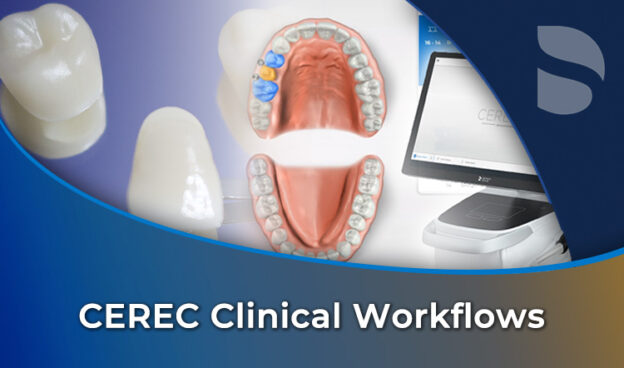
CEREC Clinical Workflows
Anton Martin takes you through CEREC 5.1.2 with a Primescan, tab by tab and then case by case: his parameter presets with the reason for each, scanning, the model phase, the design tools in order, eight troubleshooting cases, six bridges, three implant designs, the guide, smile design and the virtual articulator. Ten chapters, 42 lessons, 13 CPD hours.

Most CEREC owners use a fraction of what they paid for. Crowns come back tight, a proposal looks like a tooth from the other side of the arch, the bridge and implant menus stay closed, and the workflow that was sold as five clicks turns into twenty minutes of wrestling with the tools.
By the end of this course you should be able to set up a CEREC to your own parameters, scan in one pass, draw a margin the software cannot find, read and fix a proposal, and mill crowns, inlays, veneers, bridges, implant crowns and a surgical guide. You will also know why a strange proposal happened before you reach for a tool.
Anton Martin recorded it for iDD. He is a dental technician who has worked in digital dentistry for two decades in South Africa, England and New Zealand, and he teaches the way he set those machines up for practices, with the reason behind every setting.
He recorded this in 2022 on CEREC 5.1.2 with a Primescan. The interface has not changed much since recording, so what you see on his screen is what you see on yours, and all the information and processes are still clinically relevant. Just the block list and the machines are from 2022.
Ten chapters, 42 lessons and just under eight hours of screen recording, most of it on real cases, including eight that dentists sent him to diagnose.
The first five chapters are the workflow, tab by tab: set-up and his parameter presets, the administration screen, acquisition, the model phase, and the design tools through to the sprue.
The second five are cases: eight troubleshooting cases, single restorations up to a pair of centrals in Empress Multi, six bridges up to a four-unit with a cantilever, three implant designs, and the guide, smile design and virtual articulator that most owners never open.
What you will learn
- His parameter presets for crowns, inlays and onlays, veneers, pontics, implant crowns and abutments, each with its reason
- Why “missing” is a trap and a pontic is always a pontic
- A scan in one pass, with the sweep, the tooth count and the bite technique that give the software what it needs
- The model phase, where a cut can be undone, the axis decides the proposal, and one color near a margin means an open margin
- The design tools in the order he uses them, and the one button that gets you out of trouble
- The version 5 quirk that swells every bridge proposal, and how to put it right
- Connectors, how to read the cross-section and where to add the material
- Diagnosing a proposal from administration forward: a tooth numbered wrong, a crown keyed as a crown instead of an inlay, an opposing tooth nobody scanned
- Implant crowns: the ScanPost, the slot, the baseline, the insertion axis, and bonding to the Ti-Base outside the mouth
- The guide round trip to Sidexis, smile design on the patient’s photo, and the articulator’s one-press interference clearing
13 CPD/CE hours, assessed by twelve ten-question quizzes with an 80 percent pass mark and unlimited attempts.
You get lifetime access to the course as recorded.
Written for new CEREC users and for practices that own one and want it to work the way it was sold.
It does not cover the milling units or the lab software. The mills are Anton’s CEREC and inLab Milling Units, the lab side his inLab, and what happens to a restoration after the mill is Dr. Ahmad Al-Hassiny’s Perfect Ceramic Processing. All three come with this course in the CEREC Same-Day Excellence bundle, alongside Dr. Tony Mennito’s Bonding – Everything You Need To Know and Getting Started with Digital Dentistry; Perfect Ceramic Processing can also be bought on its own.
New to scanning? Dr. Ahmad Al-Hassiny’s free Fundamentals of Intraoral Scanning covers the scanning technique that chapter 03 builds on.
Sold as part of CEREC Same-Day Excellence.
Course Content
About Instructor

Course Includes
- 10 Chapters
- 42 Lessons
- 12 Quizzes
- Course Certificate
Ratings and Reviews