
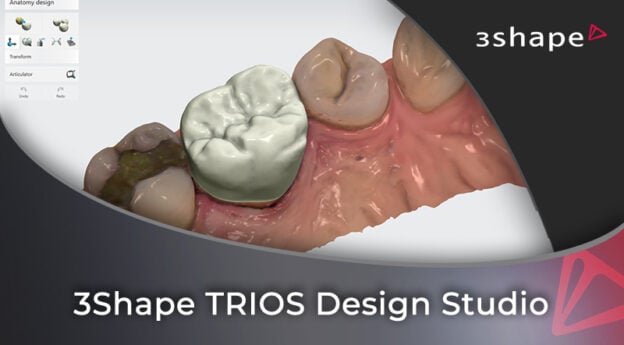
3Shape TRIOS Design Studio
Design crowns chairside in 3Shape TRIOS Design Studio, from the margin on an imperfect scan to the AI proposal, the validation warnings and the milling setup, and know what to send to the lab. Taught by Bartek Bernat. 1 hour of CE/CPD.

TRIOS Design Studio can shape a crown for you when the tooth on the other side gives the AI something to copy. Even then, the software flags thin spots and hard contacts, and you decide which to fix now and which to adjust once the crown is seated.
When the AI has no reference, more of the crown is yours to shape by hand. When a flap of soft tissue hides the margin, the right move may be a rescan. And on an inlay or onlay, the sprue can land right on the part you shaped, which you then rebuild by hand after milling.
By the end of this course you should be able to design a crown in TRIOS Design Studio on an imperfect scan, from the margin and insertion direction to a design you accept. You will set it in the block for your mill, and know which restorations to make chairside and which to send to the lab.
Bartek Bernat of the Institute of Digital Dentistry works through three cases: a single crown, two crowns in one case and a set of inlays and onlays. The cases have real problems: a soft-tissue flap over a margin, what looks like a scan artifact, and a tooth the AI has no reference for. Bartek shows where the AI does the work and where he takes over by hand.
He recorded this in 2023. All the information and processes are still clinically relevant; just the 3Shape Unite version and the mills shown are from then. The English narration is an AI voiceover of Bartek’s original recording.
Two chapters, four lessons and 43 minutes of lecture, with a ten-question quiz after chapter 02. Chapter 01 covers what to make in-house and designs the single crown with AI help. Chapter 02 sets that crown up for milling, designs two crowns in one case and shows why inlays and onlays are hard to mill chairside.
What you will learn
- Where TRIOS Design Studio sits in 3Shape Unite, and how scans from TRIOS or another scanner come in
- What you can make in-house, and what goes to the lab because it will not fit a block or the system cannot make it
- The mills on 3Shape’s trusted connection, which the software should set up when you plug them in, and the materials chart that shows which materials are validated
- Margins: automatic detection, tracing by hand, and the views that show a hidden edge
- Reading the undercut warning and setting the insertion direction
- When the AI can copy the tooth on the other side, and what a pre-preparation scan adds when it cannot
- The validation warnings for thin designs and hard contacts, and which ones Bartek accepts and adjusts once the crown is seated
- Manual design with the morphing tool, the wax knife, view clipping and the crosscut
- Block size, sprue placement and milling resolution
- The scan Bartek would redo in a real case rather than design around, and the scan problems where he leaves the call to you
- Why the sprue makes inlays, onlays and veneers hard to mill chairside
Complete every lesson and pass the quiz for your certificate, 1 hour of CE/CPD. The Institute of Digital Dentistry is an AGD PACE approved provider, Provider ID 403044.
You get lifetime access to the course as recorded.
Written for dentists and their design team in practices that scan with TRIOS and mill in-house, or plan to. If you are new to scanning, Bartek’s advice is to send your cases to a lab for about six months first. He also recommends a dedicated team to scan, design and mill, rather than one person doing all three.
The course starts from imported scans, so it does not teach scanning. The demo stops at the milling setup, before a mill runs, and no bridge is designed. For scanning, start with Learning 3Shape TRIOS, also taught by Bartek.
Also sold as part of the 3Shape Ultimate Studio Bundle.
Course Content
About Instructor

Course Includes
- 2 Chapters
- 4 Lessons
- 1 Quiz
- Course Certificate
Ratings and Reviews

Thank you